Do you have an Instagram profile? Do you track Instagram Reels reviews and comments, and are you curious about checking who viewed your profile recently or in the past? Much like how LinkedIn shows a list of profile views, can you see who views your Instagram profile too?
Instagram Profile Views vs. Video Views
Instagram profile views are different from video views. Profile views indicate how many times and who has visited or reviewed your Instagram profile, whereas video views give you insights into who watched your videos and how many times. Instagram users or business profiles can access this data from Instagram Insights.
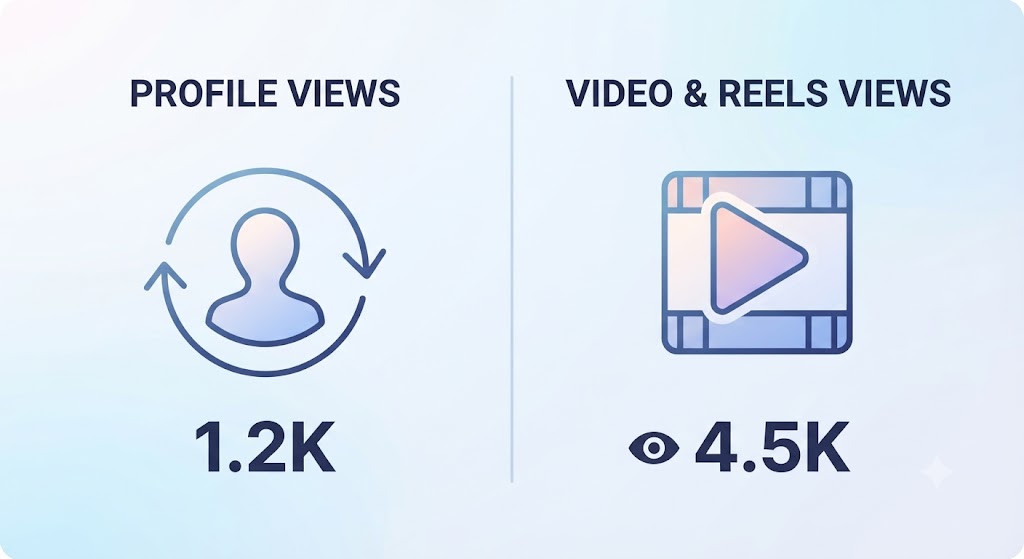
A video view is counted when a user watches your video for a minimum of three or more seconds, while a profile view is counted when someone visits your profile. Both are different and track distinct metrics.
Can You See WHO Viewed Your Profile?
No, Instagram does not show who viewed your profile, and you cannot see individual user details. Do not trust any external apps that claim to feature a way to see the individual users who viewed your profile.
Does Instagram Show Profile Views?
Yes. Instagram shows profile visits, interactions, and follower and non-follower percentages. Options are available for the last 7 days, 14 days, 30 days, 60 days, and 90 days.
First: Go to your profile page.
Second: Click the three lines to go to your Instagram account settings.
Third: Click on the Professional Dashboard.
Fourth: You will be redirected to a new window, where you need to click on Views.
Fifth: This will direct you to a new window where you can see the detailed view statistics.
These statistics will show you the number of views you have received in the past, but not individual usernames.
What Views Will You Get in the Statistics?
You will see the following insights in your professional dashboard:
Views – In the views section, you will get the total number of views by followers, non-followers, and profile visits.
Interactions – In the interaction section, you will get the number of interactions (likes, comments) you have received from followers and non-followers.
New Followers – The number of new followers you have gained.
Content You Shared – The amount of content you have shared.
Can people see when you view their Instagram profile?
No, Instagram does not provide this feature. No one can see or receive a notification for Instagram profile views. Anyone can view another user’s profile without any notification and without them knowing—even if you do not follow them. They will only receive a notification if you like or comment on their post, Reel, or video.
Does Instagram Show Who Viewed Your Posts?
No, this feature is also not available on Instagram. Instagram does not show a list of specific users who viewed your feed posts, Reels, or carousels; you can only see the view counts in your Professional Dashboard.
You will get the following details only:
Likes & Comments: You can see the specific usernames and profiles of the people who liked or commented on your content.
Saves and Shares: These are displayed as total counts (without names) on Insights for Business and Creator accounts.
Reach and Impressions: These are shown as anonymous totals.
Stories: You can see the exact list of viewers, but only for 24 hours.
Feed Posts and Reels: Instagram only shows totals—never a list of individual viewers.
Can I Track Who Views My Instagram Profile Through Other Apps?
No, you cannot check the usernames of people who have visited your profile using any external apps. If any service claims to offer this feature, it is a trap, and using it can harm your Instagram account.
The Real Dangers of Using External Apps
When you use a third-party app, it will often ask you to share your phone number, user ID, or password. Once you enter these details, you expose your login credentials, which can easily lead to your Instagram account being hacked.
Here’s what you’re actually signing up for:
Stolen Username and Password – They steal your login details and use your Instagram account for unauthorized activities. If you have used the same login details for your other social media accounts, those accounts are also in danger.

Account Hijacking – Scammers can hijack your Instagram account, use it for spamming activities, blackmail you, and ruin your online reputation.
Malware on Your Phone – Scammers or hackers can trick you into installing malicious software on your mobile device. Once installed, they can compromise your phone, use your personal photos and videos to blackmail you, and perform unauthorized online banking transactions to empty your bank account.
If you want to avoid these troubles and prevent your Instagram account from getting banned, do not trust external or third-party apps.
Can Business and Creator Accounts See Profile Viewers?
No, no one can access these details. However, business accounts show similar statistics. Here is what they can see:
- Profile Visits – The total number of views they have received.
- Reach and Impressions – How many people saw your posts or Reels.
- Interactions – The number of likes, comments, shares, and saves they have received.
Why Instagram Doesn’t Let You See Profile Viewers
Instagram keeps profile views private for a few important reasons:
- Privacy: Showing who visits a profile could encourage stalking, create unwanted pressure, or make users feel uncomfortable and monitored.
- Casual Browsing: Anonymity allows people to explore and browse freely without worrying about leaving a footprint or being tracked.
- Better User Experience: Instagram wants users to focus on engaging naturally with content and connecting with others, rather than constantly worrying about who is watching them.
Can People See Who Viewed Their Instagram Profile in the future?
It is unlikely that Instagram will introduce a feature to show individual profile viewers in the future. Protecting user privacy and encouraging casual browsing remain core priorities, meaning profile visits will likely stay completely anonymous to keep the experience comfortable.
What Instagram Shows Vs. What It Hides
| What Instagram Shows | What Instagram Hides |
| Instagram Stories — Exact list of viewers visible for 24 hours. | Profile Visits — Individual visitor identities remain completely private. |
| Story Highlights — Viewer lists available while active. | Individual Viewer Identity — Names of people viewing feed posts, Reels, or profiles. |
| Business or Creator Insights — Aggregated metrics like profile visit counts, reach, and impressions. | Third-Party App Claims — False features offered by external apps promising visitor lists. |
| Live Video Viewers — Real-time list of users participating in a live stream. | Post or Reel Viewers — Only total view counts are displayed, never usernames. |
| Engagement Metrics — Specific usernames for likes, comments, shares, and saves. | Risks of Unauthorized Tools — Protection against account hijacking, malware, and data theft. |
Instagram Account Settings Quick Guide:
- Access: Go to your Profile > Tap the three lines > Select Settings and Privacy.
- Privacy: Set your account to private, manage Close Friends, and hide Activity Status.
- Interactions: Control who can comment, tag, or mention you.
- Security: Enable Two-Factor Authentication (2FA) and monitor login activity.
- Safety: Block or restrict unwanted users.
Conclusion
Instagram prioritizes user privacy by keeping profile visits and post viewership completely anonymous. While you can track aggregated metrics through Business Insights and view exact lists for Stories and Live videos, there is no legitimate way to see who individual viewers are on your profile or feed posts.
Always avoid third-party “profile tracker” apps to protect your account from severe risks like account hijacking, malware, and data theft. Instead, focus on creating engaging content and keeping your account secure using Instagram’s official privacy and security settings.
